
Changelog
What is new, improved and fixed in each Release of Stagistic Editor. RSS feed
Release 0.2.2
What's new shows the highlightsImproved
What's new in the editor lists only the most important changes, with a link to the full changelog on stagistic.com. The changelog now includes every Release, small fixes too.
Release 0.2.1
Lines never start with a spaceImproved
A line of the script never starts with a space or tab, whether you type, paste, split or join lines, so every line starts at its margin. Tab in a stage direction no longer indents it.
Renaming and confirming characters keeps their detailsFixed
Renaming one of several characters in a cue keeps
/between their names. Confirming a character that already exists keeps its colour, notes and other details.Scripts come back intact from a .stagistic fileFixed
Exporting a script to
.stagisticand importing it again now keeps everything you wrote:*,_,\and@typed as text, lowercase lyrics, all-caps dialogue, empty stage directions and character cues, the kind of a music number, character names with a colon, acts without scenes and a manual title-page date left empty. A broken file is reported instead of stopping the import. In older files, a~line right after lyrics now opens as an empty dialogue line, and several~lines in a row stay separate.Damaged .stepkg files are reportedFixed
Importing a
.stepkgpackage with damaged contents now shows a clear import error instead of an unexpected failure.
Release 0.2.0
See the whole play on the BoardNew
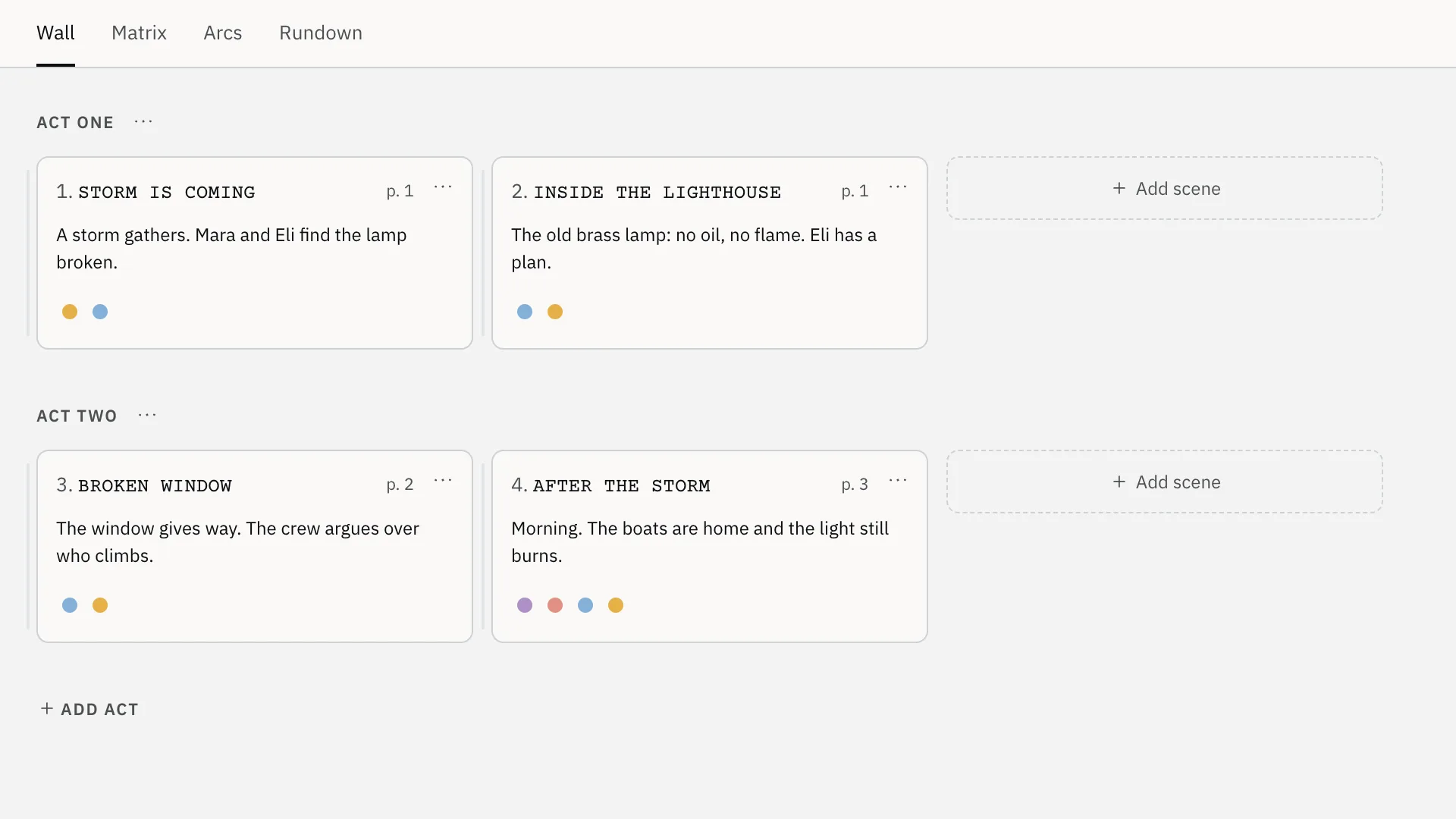
The Board sits next to Editor and Export and always matches your script. Four lenses show it from different sides:
- Wall: scenes by act as cards, with a short outline and the characters in each scene.
- Matrix: characters against scenes, so you see who meets whom and where someone is missing.
- Arcs: each character's line across the play, rising when things get better and falling when they get worse.
- Rundown: the show top to bottom, with page ranges, characters, songs and their singers.
Add a scene on the Board and it appears in your script as a scene heading.
Save Script Drafts and Script VersionsNew
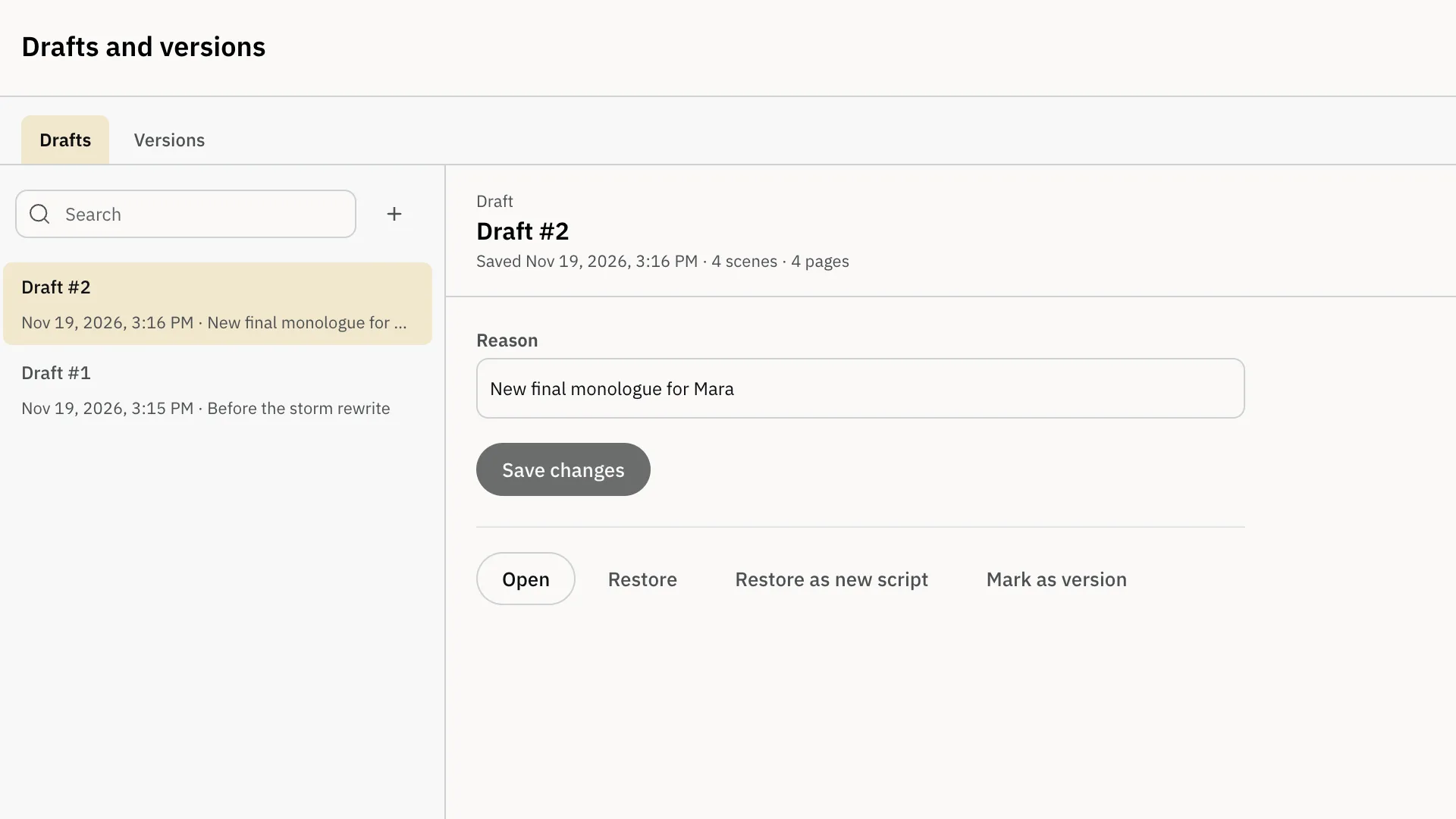
Save a numbered Script Draft before a rewrite, or a named Script Version for a reading or festival, and keep writing in Current. Open any of them later to read, export or restore it as a new script.
Format your script with a templateNew
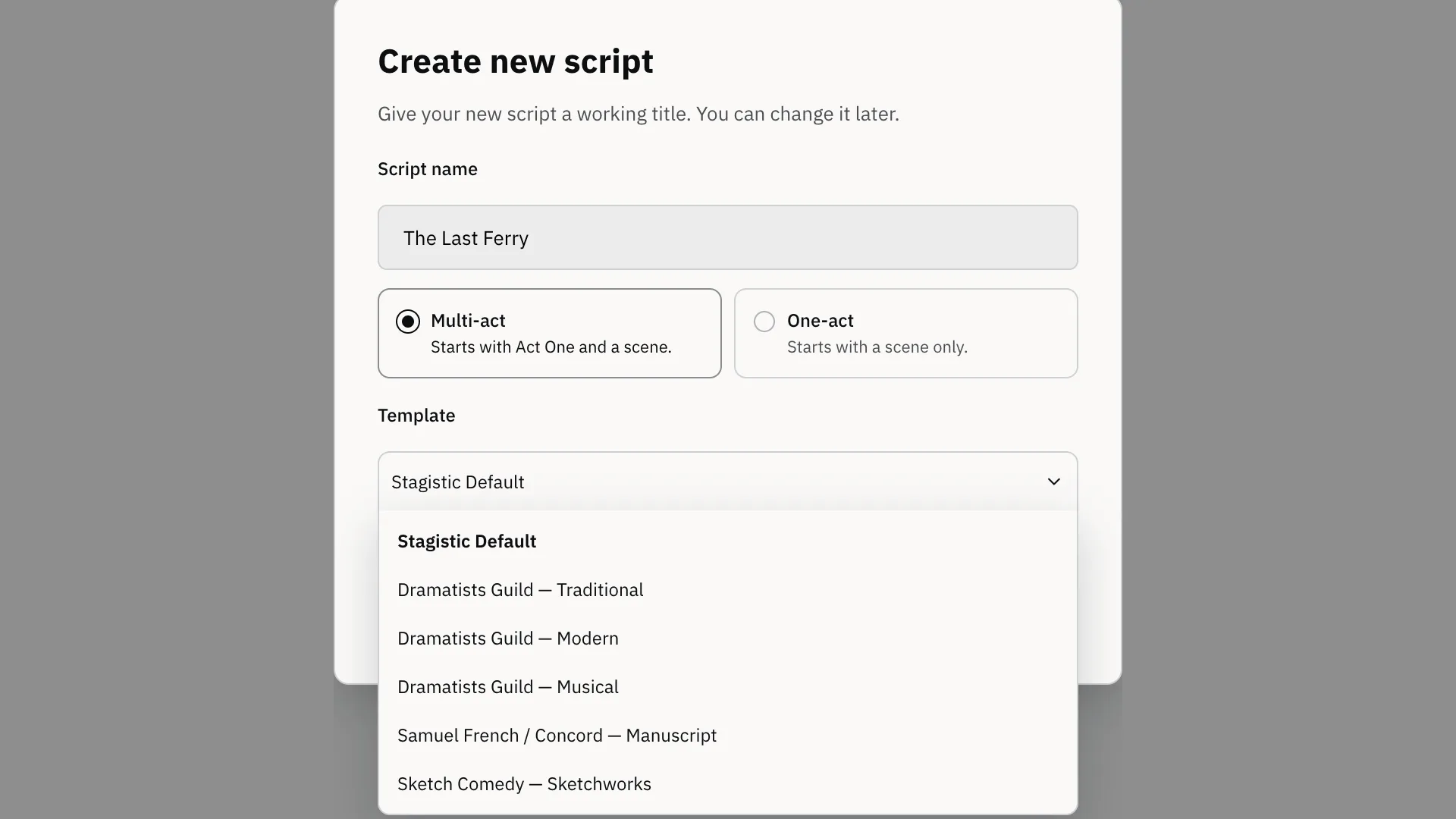
Pick a template when you create a script, or later in Script settings, to set block styles to a recognised standard. Lock it to keep the script in step with the template, or apply it as a copy and adjust it freely. Your page format, header, footer and title page stay yours.
What's new and safer updatesImproved
See what changed in each Release, and update safely with a backup first.
One tab edits a script at a timeImproved
A second tab opens the script read-only, so tabs never overwrite each other.